As an Amazon Associate, I earn from qualifying purchases. This post may contain affiliate links, meaning I get a commission if you decide to make a purchase through my links, at no cost to you.
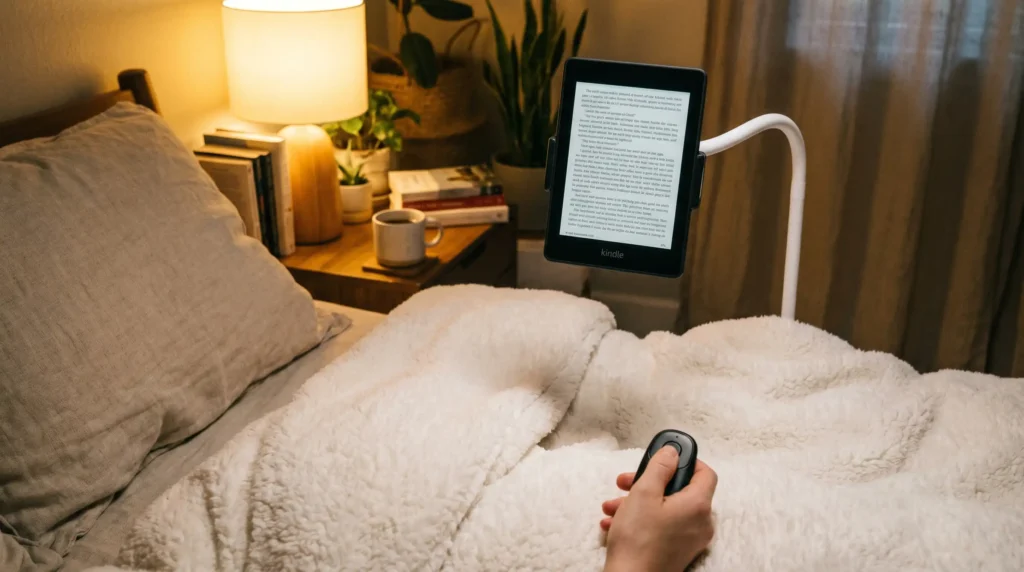
Before I finally invested in a Kindle page turner remote, my late-night reading sessions always ended the same frustrating way.
We’ve all been there: It’s 11:30 PM on a rainy April Sunday. The unpredictable spring weather has dipped, you’re wrapped tightly in your favorite duvet, and you’re hitting the climax of a gripping thriller. You are perfectly, undeniably cozy.
But then, you reach the bottom of the page.
You have to pull your warm, perfectly positioned arm out into the chilly bedroom air just to tap your screen. It completely ruins the cozy vibe.
I was dealing with major wrist fatigue from pinching my Paperwhite for hours. After reading a terrifying article from the Cleveland Clinic about “smartphone thumb” and repetitive strain injuries, it sent me down a rabbit hole for an ergonomic solution. What you actually need for maximum spring-weekend bed-rotting is a reliable, hands-free clicker.
If you’re in a rush and just want to know what actually works:
The SYUKUYU RF Remote is the undisputed king of instant, out-of-the-box magic. But if you have a habit of losing tiny things in your bedsheets, grab the DATAFY Page Turner instead for its genius wrist strap.
And a fair warning—neither of these will give you that true “zero-gravity” reading experience unless you pair them with a sturdy bed mount like the Lamicall Gooseneck.
The Setup Comparison
| The Gear | Best Feature | The Annoyance Solved | Ideal Vibe | Check the Price |
|---|---|---|---|---|
| SYUKUYU RF Remote | Completely silent clicker | Keeps hands under the blankets. | Late-night readers who don't want to wake their partner. | Check Price on Amazon |
| DATAFY Page Turner | Lanyard & wider clip | Stops you from losing the remote in a messy bed. | People with chunky, sticker-covered Kindle cases. | Check Price on Amazon |
| Lamicall Gooseneck | Ultra-stiff aluminum arm | Stops you from dropping your Kindle on your face. | The ultimate lazy, hands-free setup. | Check Price on Amazon |
1.The SYUKUYU RF Remote: The Viral TikTok Pick
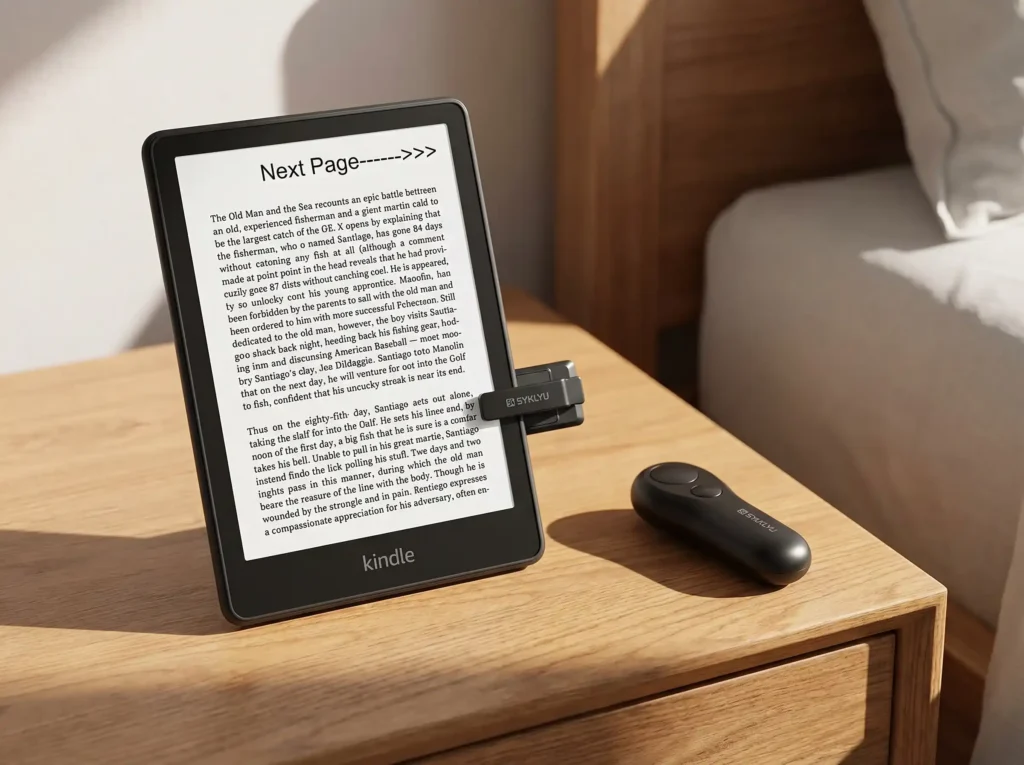
When I unboxed the SYUKUYU earlier this month, I was honestly a little skeptical. The matte black plastic felt so lightweight that I wondered if I had bought a cheap toy.
Then I clipped it onto my 11th Gen Paperwhite, crawled into bed, and my reading life permanently changed.
Because Kindles don’t natively support Bluetooth for turning pages, this clever little gadget uses a radio frequency (RF) sensor. You slide the clip over the edge of your screen, press the button on the handheld remote, and it sends a tiny pulse that mimics your finger.
I am insanely protective of my tech, so my immediate fear was that the plastic clamp would scratch my screen.
Thankfully, the inside of the jaw is lined with a squishy, capacitive rubber pad. It hugs the bezel gently. After weeks of sliding it on and off, my screen is still flawless.
The clicker itself is a dream. It doesn’t have that loud, annoying plastic snap. It’s a muffled, satisfying snick that is totally silent—meaning my husband sleeps right through my 2 AM reading marathons.
There is one little quirk you should know about, though.
Because the clip only sits on one edge of the screen, it only turns pages forward. If you accidentally skip a page and need to go back, you’ll have to brave the chilly air and manually tap the left side of your screen.
👉 Check Current Price & Deals on Amazon
2. The DATAFY Page Turner: The Best Option for Thick Cases
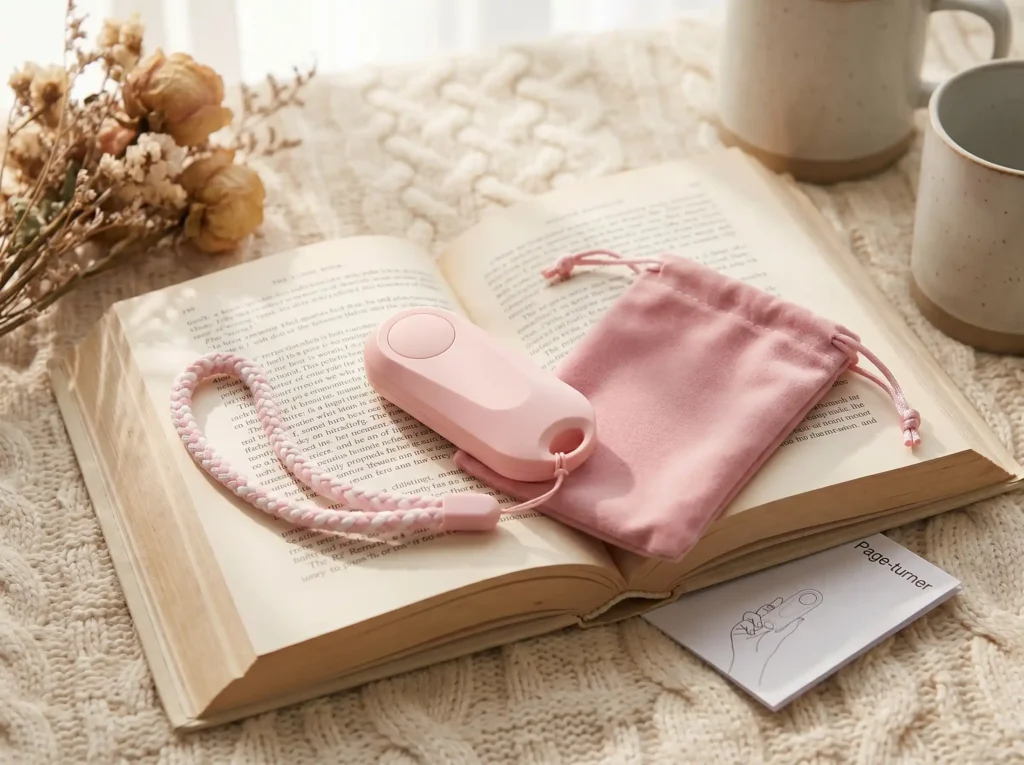
If you’re the type of reader who treats their Kindle like a scrapbook—thick clear case, tons of custom stickers, pop-socket on the back—the DATAFY is going to fit your lifestyle way better.
It uses the exact same RF clip-on technology as the SYUKUYU, but they fixed my absolute biggest pet peeve about reading in bed.
I have a terrible habit of falling asleep mid-chapter. With tiny remotes, that means I wake up and have to tear my bed apart looking for a black piece of plastic hiding in my gray sheets.
DATAFY includes a simple lanyard loop and a cute wrist strap. I just slip it over my wrist before I start reading. When I eventually doze off, the remote stays securely tethered to me.
They also widened the jaw of the clip just enough to handle thicker cases. I didn’t have to strip my chunky leather Oasis case off just to get the sensor to sit flat on the screen.
The slight trade-off is that the sensor block on the front is a bit bulkier. It covers a fraction more of the screen margin, but it never actually blocked my text during testing.
👉 Check Current Price & Deals on Amazon
The Missing Puzzle Piece: Why You Also Need a Gooseneck Mount
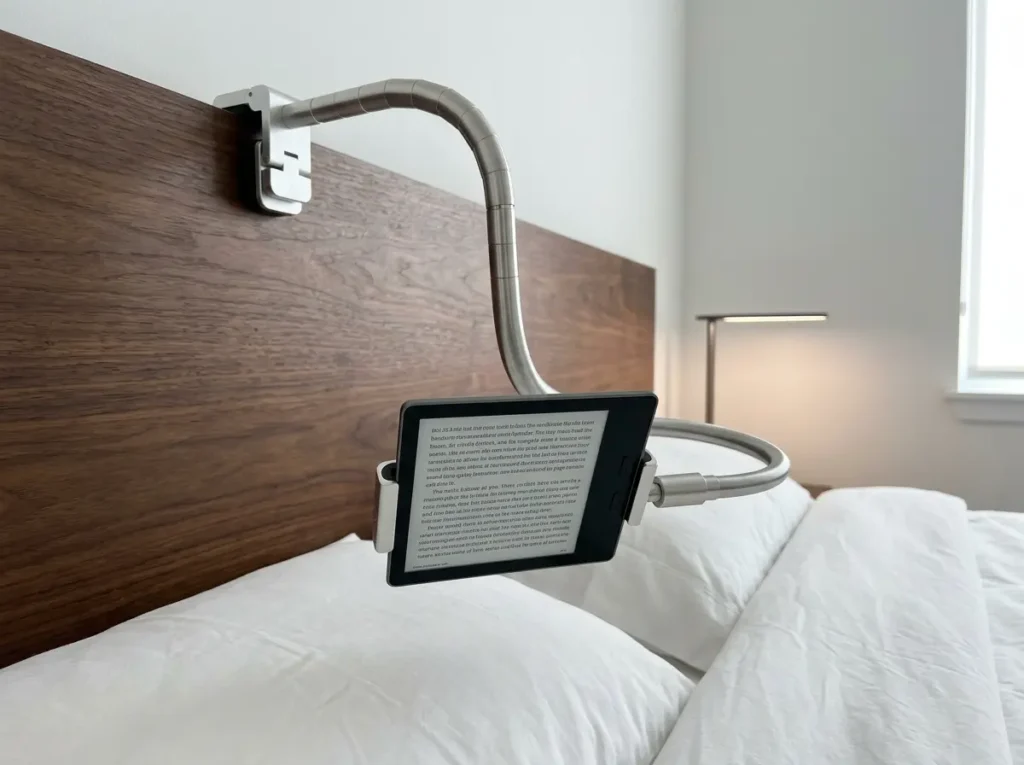
Buying a Kindle page turner remote is amazing, but it only solves half of the problem.
If your Kindle is just lying flat on a pillow, you still have to awkwardly prop your neck up to see it. According to experts at Harvard Medical School, that constant forward-head posture is a guaranteed recipe for “tech neck”. You aren’t getting that true, healthy zero-effort experience.
That’s why I ended up clamping the Lamicall Gooseneck Mount to my headboard.
Setting this thing up for the first time is a minor workout. The aluminum-magnesium alloy core is notoriously stiff. You genuinely have to use two hands and some elbow grease to bend it into the perfect “S” shape.
But that extreme stiffness is a lifesaver.
I’ve tried cheap bendy arms before, and they always slowly droop under the weight of an e-reader until they smack you in the nose. The Lamicall holds its ground. You position it once, and it hovers your book perfectly over your face all night long without ruining your cervical spine.
👉 Check Current Price & Deals on Amazon
Matching the Setup to Your Reading Style
If you read with a bare Kindle or a super thin case, and you just want the most reliable, lag-free clicker to keep your hands warm, the SYUKUYU RF Remote is your go-to.
If you are a heavy sleeper who loses things in bed, or you refuse to take off your thick aesthetic case, you will appreciate the wrist strap and wider clip of the DATAFY Page Turner.
And if you want to achieve peak laziness where you literally just lie flat on your back and blink, grab either remote and mount your screen with the Lamicall Gooseneck.
Quick Q&A: Things My Book Club Kept Asking Me
Does a Kindle page turner remote require a Bluetooth connection?
Nope, and that’s the beauty of it. Standard Kindles actually block Bluetooth page-turning devices. These specific remotes bypass that software wall by using a physical clip that communicates with the handheld clicker via radio frequency (RF). It essentially tricks your screen into thinking a real finger just tapped it.
Will the clamp damage or scratch my Kindle screen?
Your screen is totally safe. Both brands use a very soft, squishy silicone padding on the inside of the clip. Just squeeze the clamp open normally when you put it on or take it off, and it won’t leave a mark on bare screens or matte protectors.
Can I use the remote to turn pages backward?
Unfortunately, no. The clip only touches one spot on the right margin of your screen, meaning it can only trigger the “next page” function. If you need to flip back to reread a paragraph, you have to tap the screen yourself.
Final Thoughts on Upgrading Your Nighttime Routine
We spend so much money on the books we read; it makes sense to invest a little in how we read them.
Stopping the constant arm shuffling and eliminating wrist fatigue completely renewed my love for reading this spring. Investing in a Kindle page turner remote might seem like a silly TikTok trend at first glance, but once you try it on a chilly night, you’ll never go back to holding an e-reader the old-fashioned way.
Just don’t forget the Lamicall Gooseneck if you want the full luxury experience.
👉 Check the Current Live Price for the SYUKUYU on Amazon
👉 Check the Current Live Price for the DATAFY on Amazon
What does your cozy nighttime reading setup look like? Let me know in the comments below—and as always, happy reading!
Want more recommendations? Head back to our homepage to see all our 2026 everyday picks.