As an Amazon Associate, I earn from qualifying purchases. This post may contain affiliate links, meaning I get a commission if you decide to make a purchase through my links, at no cost to you.

Take a look under your desk. If your view is a tangled nest of wires, you need a solid under-desk cable management plan. That “spaghetti mess” isn’t just an eyesore; it’s a dust magnet and a potential tripping hazard. The good news? You don’t need a huge budget to fix it.
In this article, I’ll show you 5 simple and effective cable management hacks that will transform your workspace and deliver that visual satisfaction you’ve been craving. Get ready for a clean, organized, and more productive environment.
5 Game-Changing Cable Management Solutions
Our goal is simple: get all cables, power strips, and adapters off the floor and out of sight, keeping them both secure and accessible.
Hack 1: Create an “Invisible Highway” with a Cable Raceway
A cable raceway kit is the foundation of any professional under-desk cable management strategy.
- Who is this for? Users with a stationary setup (like a desktop PC and monitors) who want the cleanest, most professional look possible.
- Real-World Scenario: Your monitor and computer power cords are dangling awkwardly against the wall. A raceway conceals them completely inside a sleek channel.
- Our Pick: SimpleCord J Channel Cable Raceway Kit
- Pros & Cons:
- Pros: Provides a completely hidden, clean look; protects cables from physical damage or pets.
- Cons: Installation requires some planning (measuring and sticking/drilling); less flexible for adding or removing cables frequently.
- Why I Picked It: I chose this kit because its J-channel design makes it easy to add or remove cables without taking off a cover. The included self-adhesive tape is strong, making it a great option for renters who don’t want to drill holes.
Hack 2: Tame the Octopus with Reusable Cable Ties
Forget single-use plastic zip ties. Reusable hook and loop (Velcro) ties are the most flexible way to bundle groups of cables together.
- Who is this for? Absolutely everyone. Especially useful for people who frequently plug in and move their devices.
- Real-World Scenario: You bring your laptop home from work and need to connect your monitor, charger, and mouse. When you’re done, you can neatly bundle the cables for storage.
- Our Pick: VELCRO Brand ONE-WRAP Cable Ties | 100 Pack
- Pros & Cons:
- Pros: Extremely versatile, reusable, and inexpensive; available in multiple colors for easy cable coding.
- Cons: They only bundle cables; they don’t hide them from view.
- Why I Picked It: VELCRO is the original and most trusted brand in this space. This 100-pack is an incredible value and will likely be the last pack of cable ties you’ll ever need to buy for your desk, TV, and travel bag.
Hack 3: Route Your Wires with Adhesive Cable Clips
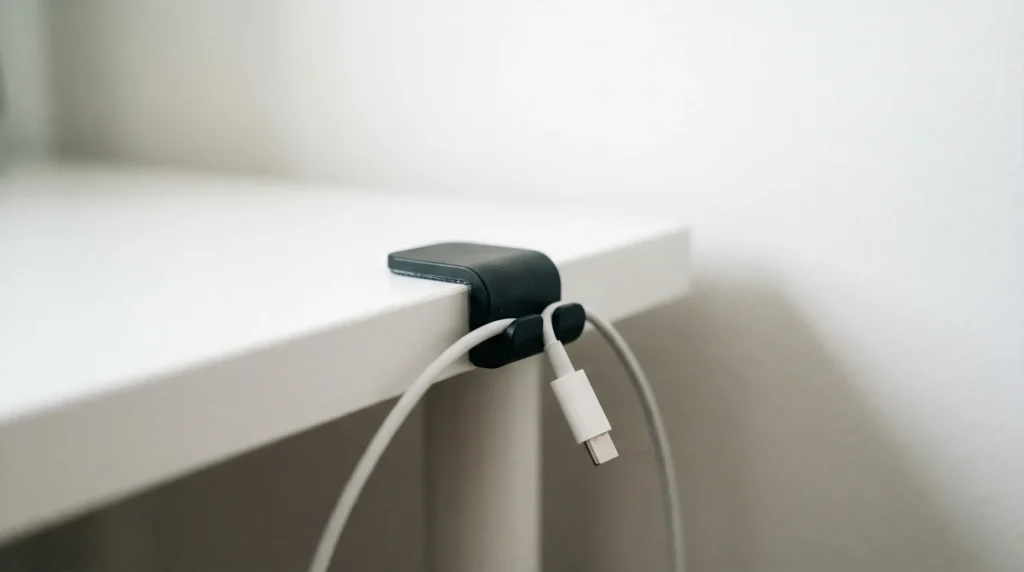
Think of adhesive cable clips as a GPS for your individual cords. You can use them to guide a single cable precisely along a desk leg or around the edge of your desk.
- Who is this for? The detail-oriented person who wants every single wire to follow a specific, tidy path. Perfect for phone chargers and mouse cables.
- Real-World Scenario: Your phone charging cable constantly slips off your desk and onto the floor. A single clip at the edge of your desk keeps it exactly where you need it.
- Our Pick: OHill Cable Clips, 16 Pack
- Pros & Cons:
- Pros: Simple to install, very versatile, and give you precise control over cable placement.
- Cons: The adhesive can be tricky to remove from some surfaces; may leave a residue.
- Why I Picked It: This 16-pack includes clips with single, double, and triple channels, making it adaptable for almost any type of thin cable you have. Their small, black profile is discreet and blends in easily.
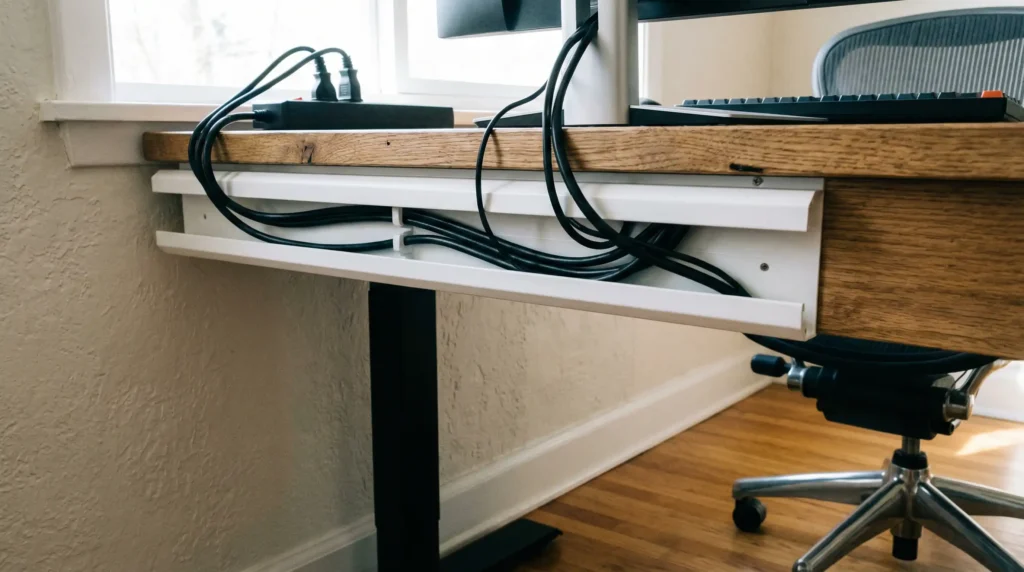
Hack 4: Use an Under-Desk Cable Management Tray to Clear Floor Space
Lifting your power strip and bulky adapters off the floor is the single biggest step toward a clean setup. An under-desk cable management tray is built for exactly this purpose.
- Who is this for? Anyone using a power strip with multiple large “wall wart” power adapters.
- Real-World Scenario: You’re constantly kicking a messy power strip under your feet, making it impossible to vacuum or stretch your legs. This tray lifts the entire mess up and hides it directly beneath your desktop.
- Our Pick: Yecaye Under Desk Cable Management Tray (Set of 2)
- Pros & Cons:
- Pros: Frees up floor space dramatically, making cleaning easy; the open-wire design allows for good airflow and easy routing.
- Cons: Most models, including this one, require you to drill a few small screws into the underside of your desk.
- Why I Picked It: The Yecaye tray is wide enough to hold a large power strip and several adapters. Coming in a set of two gives you the flexibility to place them wherever you need the most support under your desk.
Hack 5: Conceal Everything with a Cable Management Box
Once your cables are routed, a cable management box is the final touch. It’s a simple, elegant box designed to hide an entire power strip and all its connected plugs.
- Who is this for? Those who want the absolute cleanest look or have curious pets or children at home.
- Real-World Scenario: Even after organizing, the power strip itself is still an eyesore. This box covers the entire unit, turning a cluttered mess into a sleek, minimalist object.
- Our Pick: D-Line Cable Management Box, Large
- Pros & Cons:
- Pros: Stylish and modern; excellent for dust control and provides a safety barrier from plugs.
- Cons: Takes up some floor or desk space; you must measure your power strip to ensure it fits inside.
- Why I Picked It: The D-Line box has a clean, modern design that blends into any decor. Its three rear cable-entry points are smartly designed for easy access and routing from multiple directions.
Quick Comparison Guide
| Solution | Best For | Installation Difficulty | Flexibility |
|---|---|---|---|
| Cable Raceway | Hiding wall-to-desk cables | Medium (Measure & Stick) | Low |
| Velcro Ties | Bundling groups of cables | Easiest (Wrap & Cinch) | High |
| Adhesive Clips | Guiding single cables | Easy (Peel & Stick) | Medium |
| Under-Desk Tray | Hiding power strips & adapters | Medium (Requires Drilling) | High |
| Cable Box | Concealing a power strip | Easiest (Place Over) | Medium |
Frequently Asked Questions (FAQ)
- Q: How can I install under-desk cable management solutions without drilling into my desk?
- A: Look for products that use strong, high-quality self-adhesive tape, like the raceway and clips mentioned above. For heavier trays, search for “clamp-on” models that attach to the edge of your desk without screws.
- Q: What is the best under-desk cable management for a standing desk?
- A: Flexibility is key for a standing desk. A fabric cable sleeve is a great choice to bundle all the moving cables into one flexible column. Combine this with an under-desk tray that moves with the desktop.
- Q: How do I manage those huge, heavy power bricks?
- A: An under-desk tray is the #1 solution. Alternatively, you can use heavy-duty mounting tape or dedicated Velcro straps to attach them directly to the underside of your desk.
- Q: Will these management products cause my devices to overheat?
- A: Generally, no. Open-wire trays and vented boxes are designed with airflow in mind. Just avoid tightly wrapping multiple heat-producing adapters together in a non-breathable sleeve.
Top / Hidden Gems
- Desktop Upgrade: Anker 525 Charging Station – This is more than just a power strip. It’s a beautifully designed desktop hub with AC outlets on the back and USB-A/USB-C ports on the front. It reduces the need to reach under your desk for daily charging needs.
- Budget-Friendly Pick: Alex Tech 10ft – 1/2 inch Cord Protector Wire Loom – If you just need to combine a few cables running from your PC to your monitor, this braided cable sleeve is a cheap and incredibly effective solution. It instantly turns a messy bundle of wires into a single, clean tube.
Final Thoughts
Why You Can Trust This Guide
I’ve spent countless hours researching, testing, and organizing my own workspace. The products and strategies in this guide are chosen based on their practicality, high user ratings, and my own hands-on experience. My goal is to help you solve your cable clutter problem effectively, without wasting money on gimmicks.
Mastering your under-desk cable management might feel like a chore, but the productivity boost is worth the effort.A clean workspace directly contributes to a clearer mind and higher productivity. Start small with a pack of cable clips or ties, and take the first step toward a more organized desk today. You’ll be glad you did.
Want more gear recommendations? Head back to our homepage to see all our 2026 tech comparisons.