As an Amazon Associate, I earn from qualifying purchases. This post may contain affiliate links, meaning I get a commission if you decide to make a purchase through my links, at no cost to you.

Are you desperately searching for the best home scanner for tax receipts before the 2026 IRS deadline hits?
We are officially in late February.
If your desk currently features a chaotic shoebox of W-2s, faded medical bills, and business expenses from last July, panic is probably setting in.
Manually sorting through paper mountains is the absolute worst part of tax season.
It takes hours. Plus, the risk of losing a valuable deductible expense is huge.
You don’t need to be an IT expert to fix this. You just need the right hardware.
Let’s quickly digitize tax receipts and get your filing cabinet sorted today.
The 2026 Lineup: What’s on the Menu?
Instead of comparing apples to oranges, I categorized the market into three distinct product types.
These are the only three forms of scanners that actually make sense for tax prep:
- The Heavy-Duty Desktop Scanner: Built for raw speed and large capacities.
- The Smart Accounting Scanner: Built with software that extracts data for bookkeeping.
- The Portable Travel Scanner: Built to fit in a backpack for on-the-go scanning.
(Swipe left on mobile to see where to buy)
| Scanner Category | Core Superpower | Check Live Deals |
|---|---|---|
| Brother ADS-3100 (The Heavy-Duty Option) | Fast, high-capacity, straightforward paper processing. | View on Amazon |
| Epson RapidReceipt RR-600W (The Smart Option) | Automatically extracts vendor names and totals to Excel/QuickBooks. | View on Amazon |
| Brother DS-640 (The Portable Option) | Ultra-lightweight and USB-powered for hotel rooms. | View on Amazon |
1. Brother ADS-3100: The No-Nonsense Speed Demon
Sometimes, you don’t want a machine with complicated Wi-Fi setups or flashy touchscreens.
You just want something that clears your desk as fast as humanly possible.
The Brother ADS-3100 is engineered exactly for that.
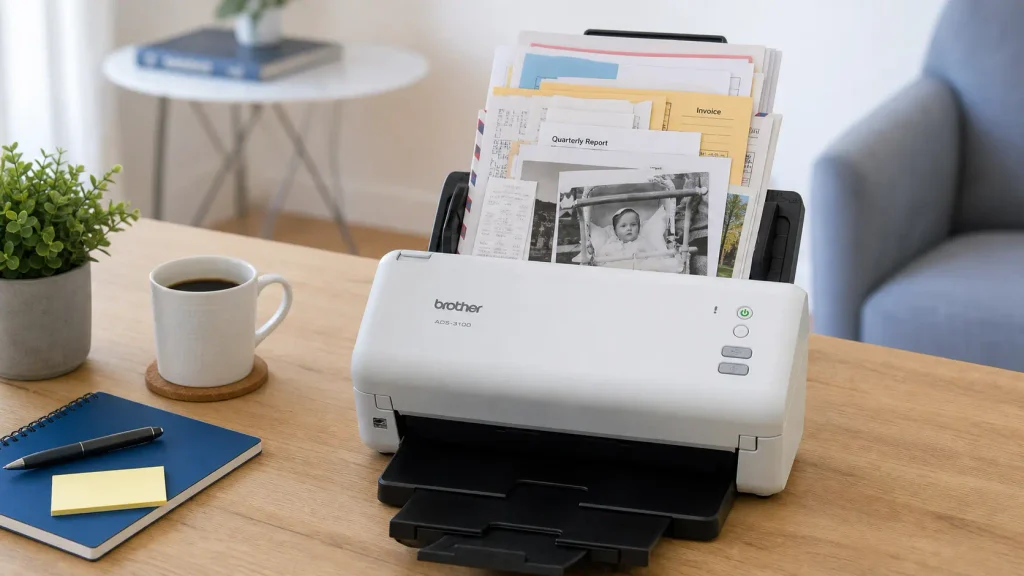
It is a traditional, robust desktop scanner that focuses entirely on physical performance.
According to Brother’s official specs, the automatic document feeder (ADF) holds up to 60 pages at once.
This means you can load a mixed batch of long receipts, standard tax forms, and thick business cards into the chute together.
It scans at a blazing 40 pages per minute, capturing both sides simultaneously.
It also relies on a rock-solid USB 3.0 connection to your computer.
You never have to worry about your home network dropping right in the middle of a massive scan job.
If your goal is to turn a year’s worth of physical clutter into organized PDFs in one sitting, this machine provides incredible peace of mind.
👉 Check Current Price & Deals for Brother ADS-3100 on Amazon
2. Epson RapidReceipt RR-600W: The Digital Bookkeeper
If you run a small business, getting a picture of your receipt isn’t enough.
You still have to type the vendor name and the dollar amount into your ledger.
The Epson RapidReceipt RR-600W is specifically marketed to eliminate that exact chore.
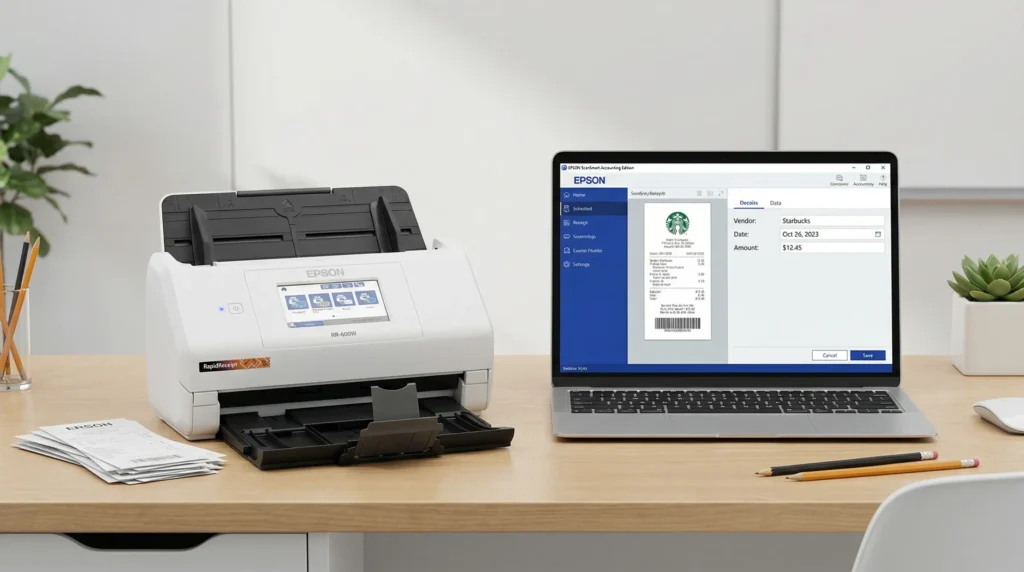
Many small business owners consider this the best home scanner for tax receipts purely because of its software.
When you run a receipt through this machine, the software uses Optical Character Recognition (OCR) to actively read the document.
It is designed to automatically locate the vendor name, the date, and the total cost.
Even better, Epson built this system to integrate directly with major accounting software.
You can export that extracted data straight to QuickBooks, TurboTax, or a standard Excel spreadsheet.
It does require a bit of initial setup to link the scanner to your specific accounting ecosystem.
But for anyone who dreads manual data entry, the RR-600W acts less like a scanner and more like a financial assistant.
👉 Check Current Price & Deals for Epson RapidReceipt RR-600W on Amazon
3. Brother DS-640: The Hotel Room Savior
The biggest tax leak for most traveling professionals isn’t a messy home office.
It’s losing physical receipts in rental cars and airports before they ever make it home.
The Brother DS-640 is built to stop that leak.
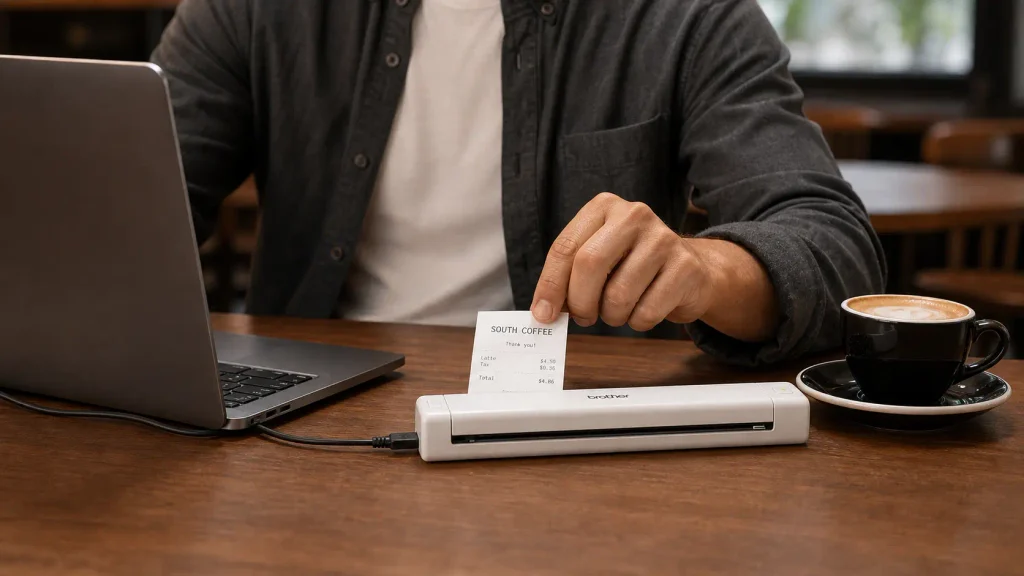
It is an ultra-compact mobile scanner that weighs just 1.06 pounds.
It’s barely wider than a standard piece of paper. It slips perfectly alongside your laptop in a backpack.
You don’t even need to hunt for a wall outlet.
It draws all its power directly from the USB cable plugged into your computer.
This allows you to scan a client dinner receipt the moment you get back to your hotel room.
Keep in mind, this is a manual-feed device. You must insert pages one by one.
If you expect to scan a massive box of annual taxes in one sitting, you will be deeply frustrated.
But as an on-the-go tool to capture expenses in real-time? It’s a brilliant, budget-friendly insurance policy.
👉 Check Current Price & Deals for Brother DS-640 on Amazon
Which is the Best Home Scanner for Tax Receipts for You?
The “Weekend Warrior” Setup:
You let your mail and medical bills pile up for months. You don’t care about accounting software. You just want to clear off your kitchen counter in ten minutes flat without the machine jamming.
👉 You need the Brother ADS-3100.
The “I Track Every Penny” Business Owner:
You use QuickBooks or detailed Excel sheets. The thought of spending hours typing “$45.22 – Home Depot” into a cell is your worst nightmare. You need a machine that does the typing for you.
👉 You need the Epson RapidReceipt RR-600W.
The “Always on the Road” Hustler:
You practically live out of a suitcase. Your main goal is simply digitizing a few paper receipts every night before they get crumpled in your pockets.
👉 You need the Brother DS-640.
The Crucial Next Step: Securely Destroying the Evidence
Listen, once you successfully digitize your entire life, you are going to be left with a massive pile of physical paper.
Do not just toss this in your recycling bin.
These documents are loaded with your Social Security Number, bank routing numbers, and client data. Identity theft spikes heavily during tax season.

If you are upgrading to a paperless home office, a high-security shredder is mandatory.
I highly recommend the Aurora AU1210MA Micro-Cut Paper Shredder.
Unlike cheap “strip-cut” shredders that leave paper in easily reassembled ribbons, a micro-cut shredder turns a single W-2 into thousands of tiny, unreadable pieces of confetti.
It easily chews through 12 sheets at once, plus staples and old credit cards. It’s the perfect companion to your new scanner.
👉 Grab the Aurora Micro-Cut Shredder Here
Real Questions from the Comments (Tax Season Edition)
Is it actually legal to throw away my physical receipts if I scan them?
Yes, it is!
According to the official IRS guidelines on digital recordkeeping, electronic records are completely acceptable.
They just need to be legible, indexed, and easy to retrieve. A dedicated scanner creating high-contrast, searchable PDFs fits this requirement perfectly.
Why shouldn’t I just use the free scanner app on my phone?
Phone apps are fantastic for one or two receipts.
But if you are processing a backlog for taxes, a phone camera gets incredibly frustrating.
You are constantly fighting room shadows, weird cropping, and hand shake. A dedicated scanner provides flat, perfectly lit images every time.
Are thermal receipts going to ruin the scanner rollers?
Over time, the chemical coating on thermal receipts can leave a slight slick residue on internal rollers.
The good news is that maintenance is incredibly easy.
All major brands recommend simply wiping down the rubber rollers with a microfiber cloth and a tiny bit of isopropyl alcohol every few months.
The Bottom Line: My Personal Pick
Going fully digital is the highest-ROI habit you can build this year.
Your home office will instantly feel twice as big once that paper box is gone.
If a tornado blew away my desk tomorrow and I could only repurchase the best home scanner for tax receipts with my own money…
I would grab the Epson RapidReceipt RR-600W without hesitation.
As someone who runs a small business, my time is my most valuable asset.
The fact that this machine can actively read my receipts and push the numbers directly into my tax spreadsheet is incredible.
It saves me from hours of mind-numbing manual entry.
Whatever you choose, do it now. Don’t wait until mid-April to start organizing.
👉 Grab the Brother ADS-3100 Here
👉 Grab the Epson RR-600W Here
👉 Grab the Brother DS-640 Here
How are you tackling the 2026 tax beast? Drop a comment below or tag me in your minimalist desk setup photos—and as always, happy organizing!
Want more recommendations? Head back to our homepage to see all our 2026 everyday picks.